If you have installed WordPress on a Fast Panda Linux hosting package and forgotten your WordPress password, you can easily reset it by following the steps below.
- Access the website www.portal.vaderdesign.co.uk
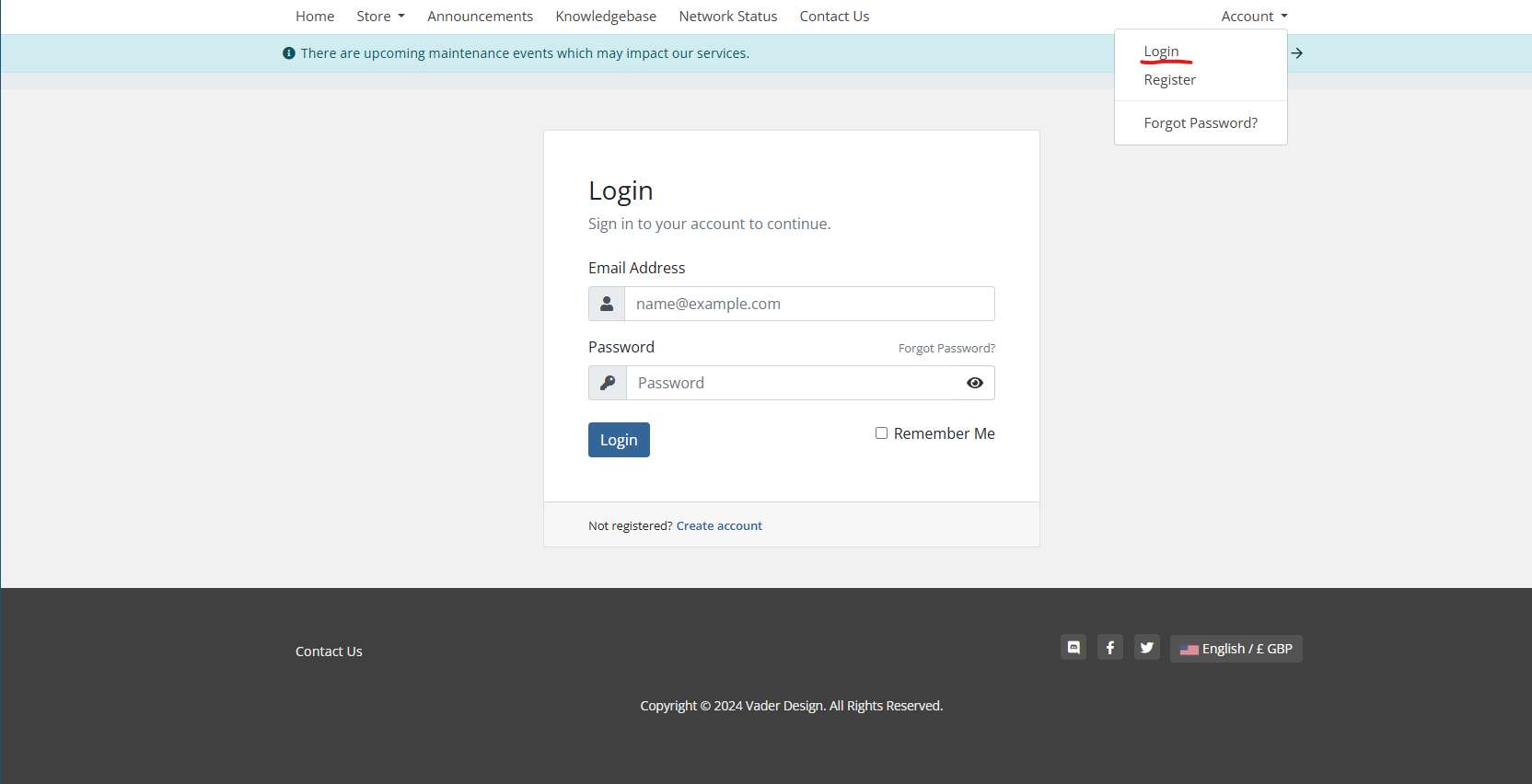
- Click on the “account” button on the opened page, enter your customer panel information, and click the “Log in” button to log in to your account.
- Upon logging in you will see log-in to cPanel click that and you should auto login to your cpanel account.

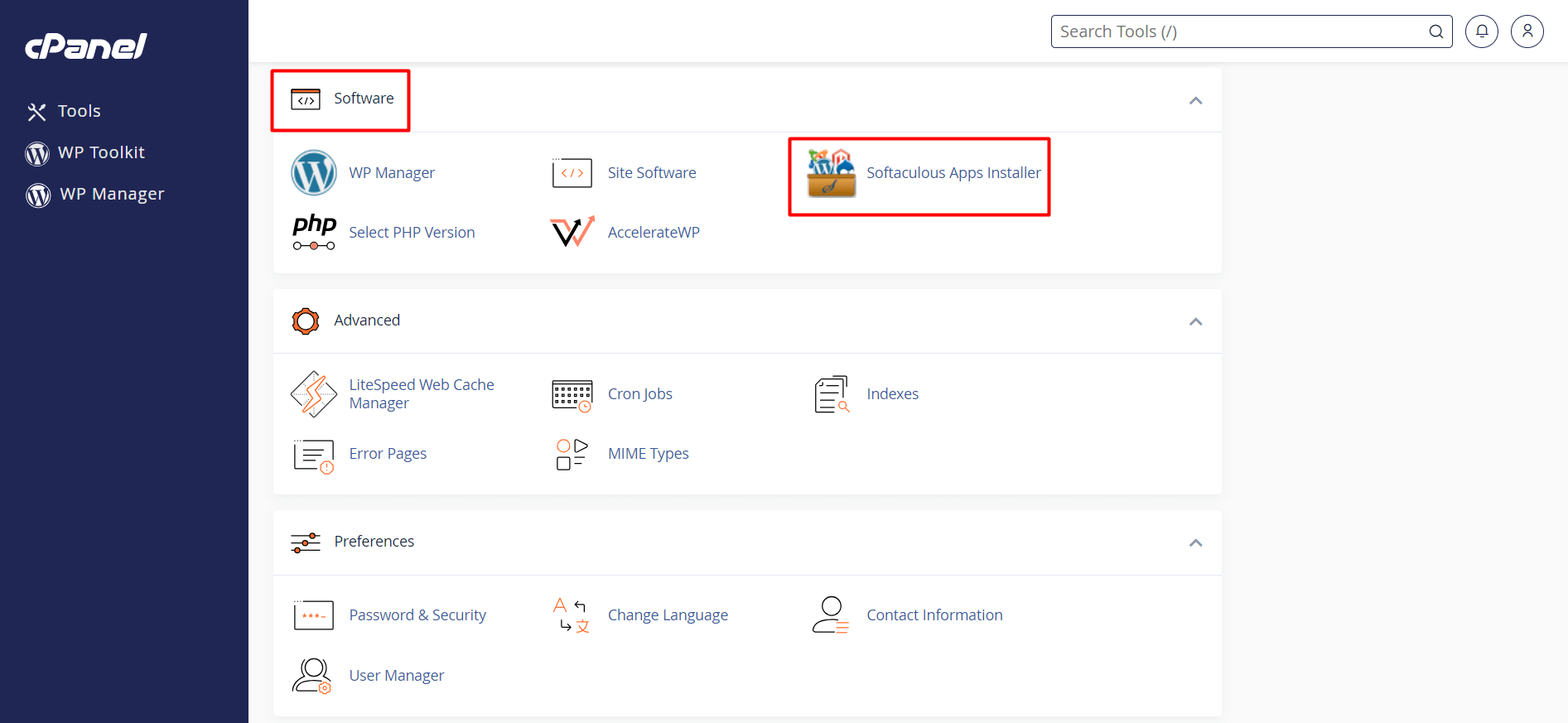
- Access the “Software” section located on the main page of cPanel. You will see the “Softaculous Apps Installer” icon in this section. Click on the icon.
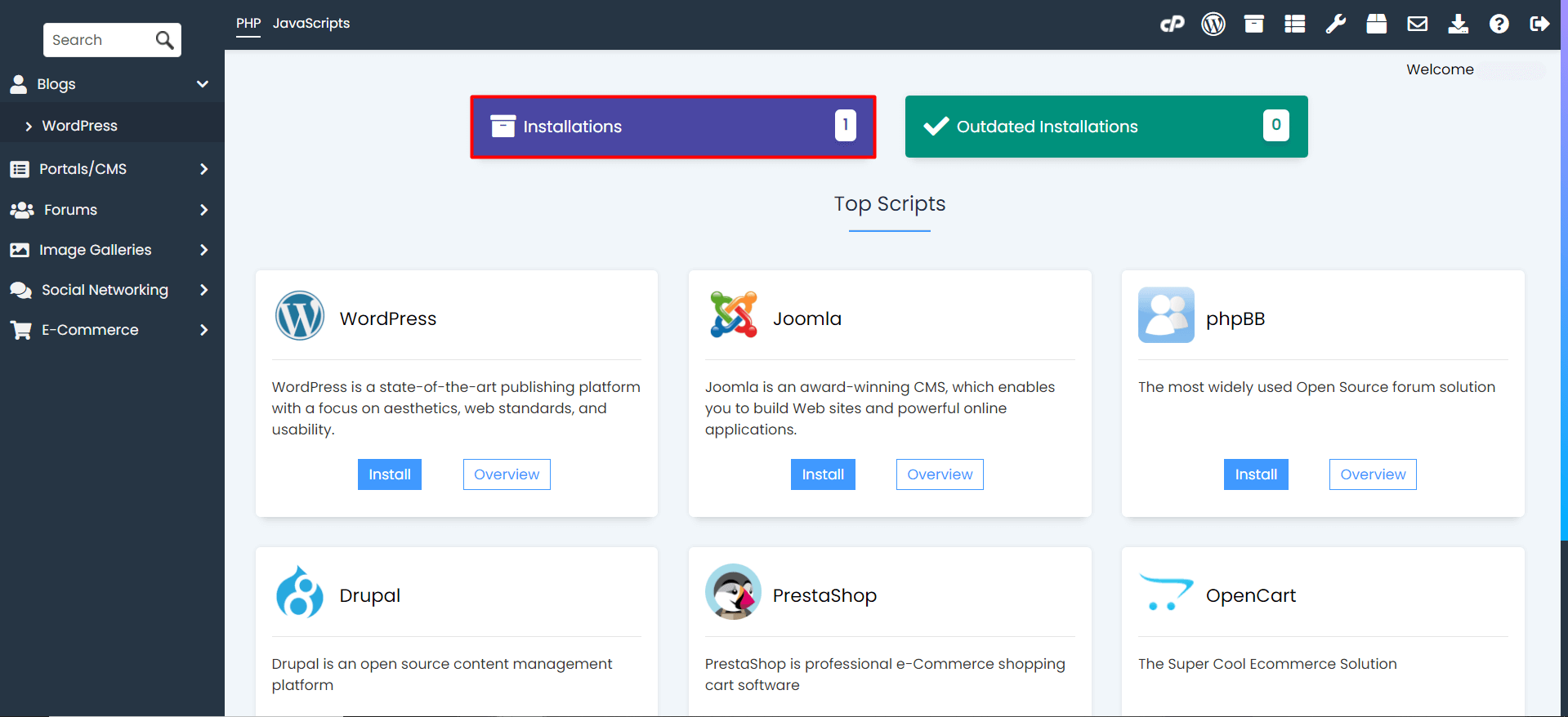
- In the Softaculous interface, click the “Installations” button to view your installed applications. Here, you will see the WordPress applications that were installed previously.
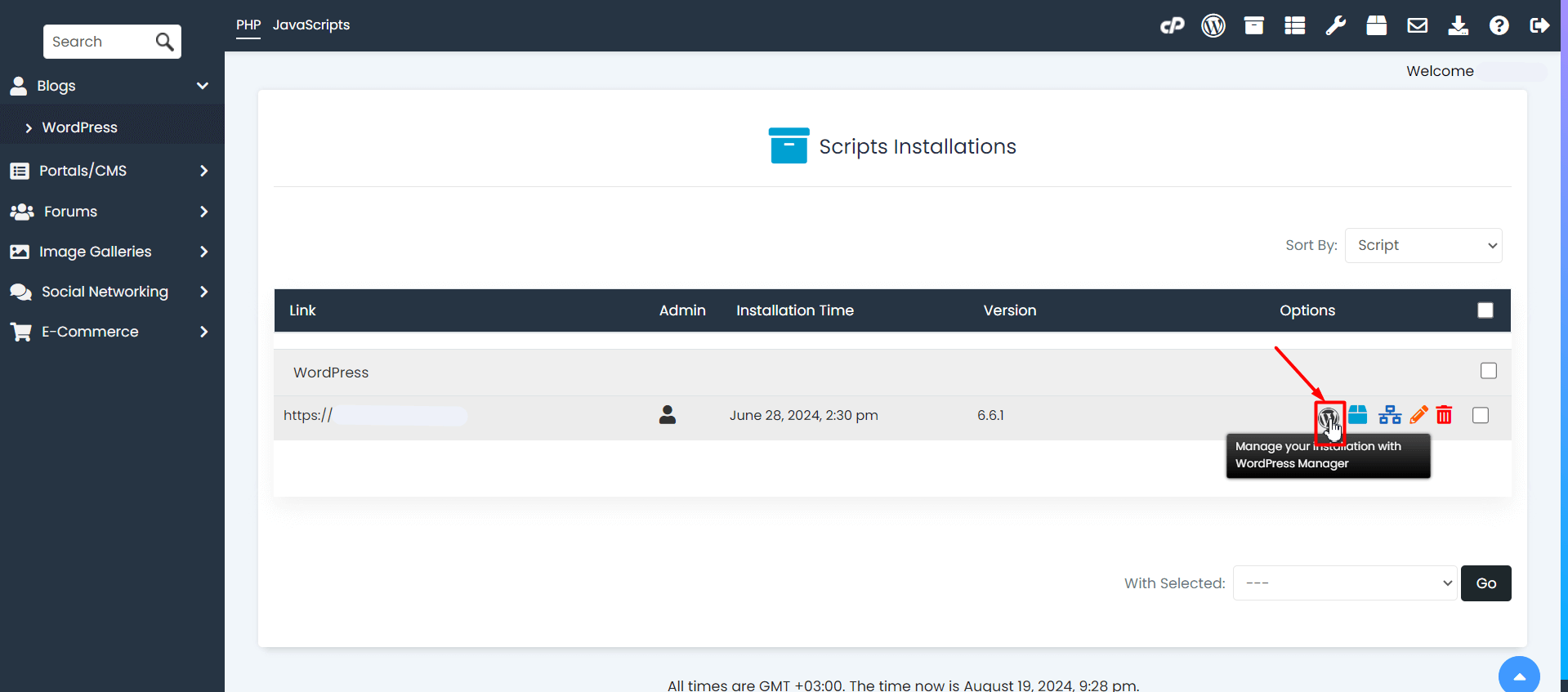
- Click the “Manage your installation with WordPress Manager” button next to the WordPress installation for which you want to reset the password.
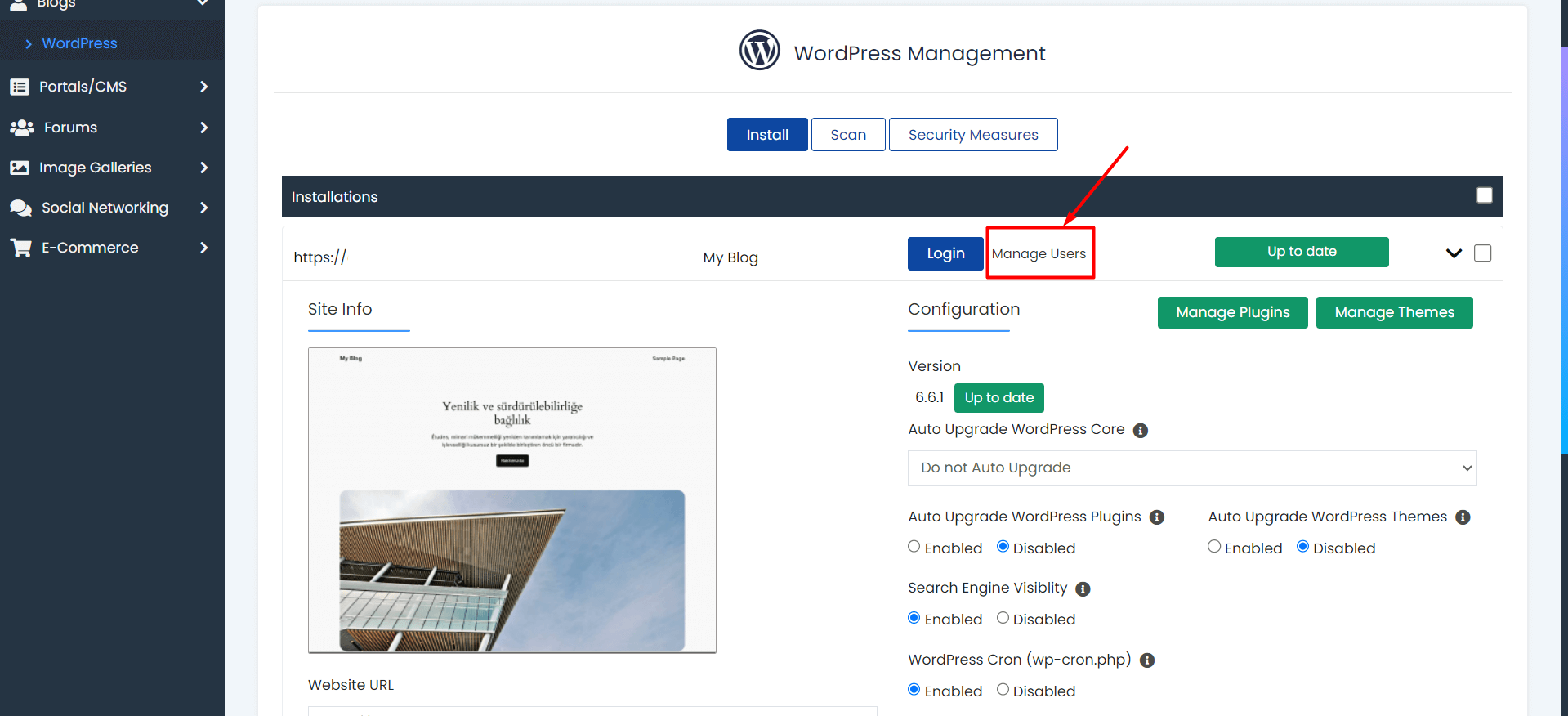
- Access the “Manage Users” section from the WordPress management page.
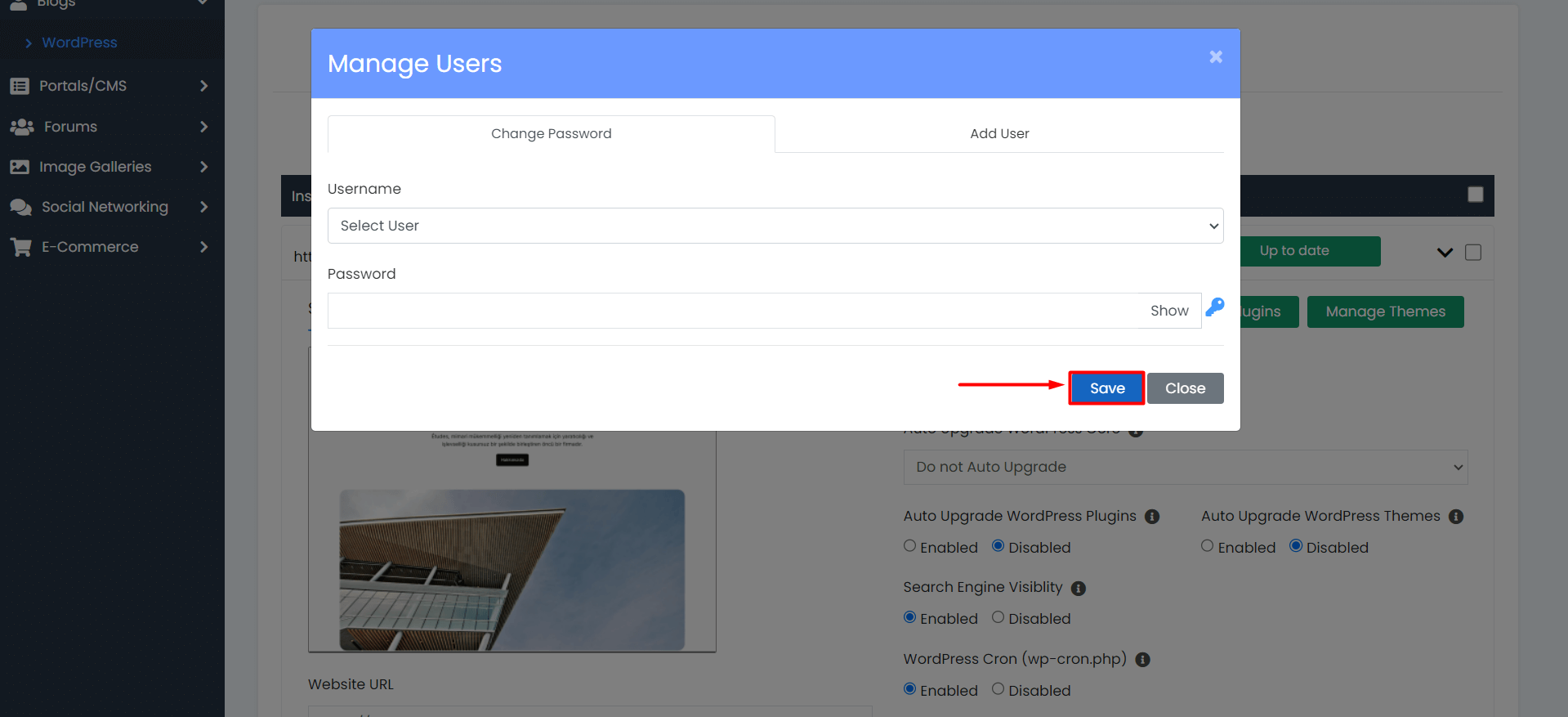
- You will encounter a pop-up window to change the password. Select the user whose password you want to change from the “Username” section. In the “Password” section, you can either set a new password or have a password generated.
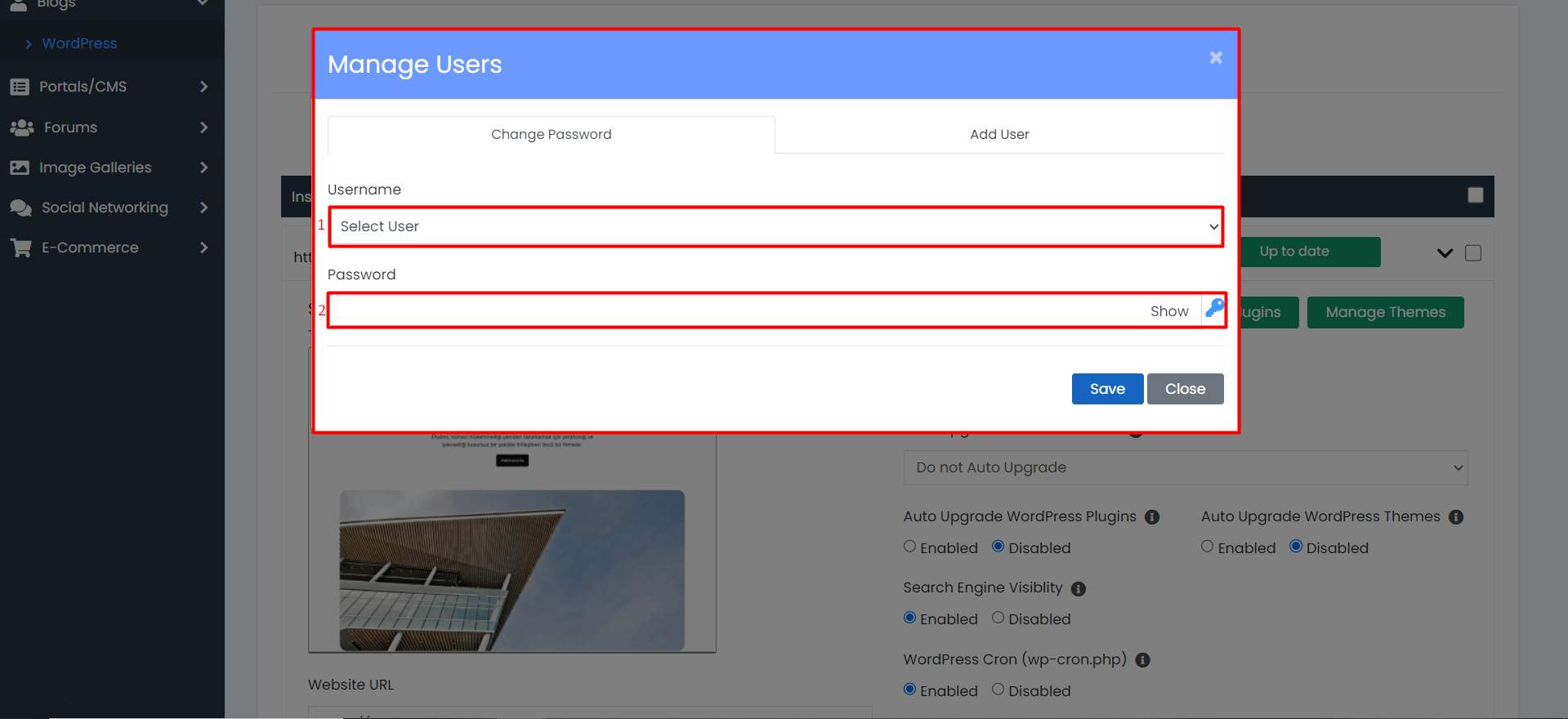
- After filling in all the information, click the “Save” button. Your new password will be saved. You can log in to your WordPress admin panel with your new password.