
A subdomain is a subsection of a main domain and is typically used to host different content on your website. Subdomains are often preferred by blogs or e-commerce sites.
Examples:
blog.yoursite.com – For the blog section of your website
shop.yoursite.com – For the e-commerce section
To create a subdomain in cPanel, you can follow the steps below.
- Access the website www.cpanel.vaderdesign.co.uk and sign in with your account.
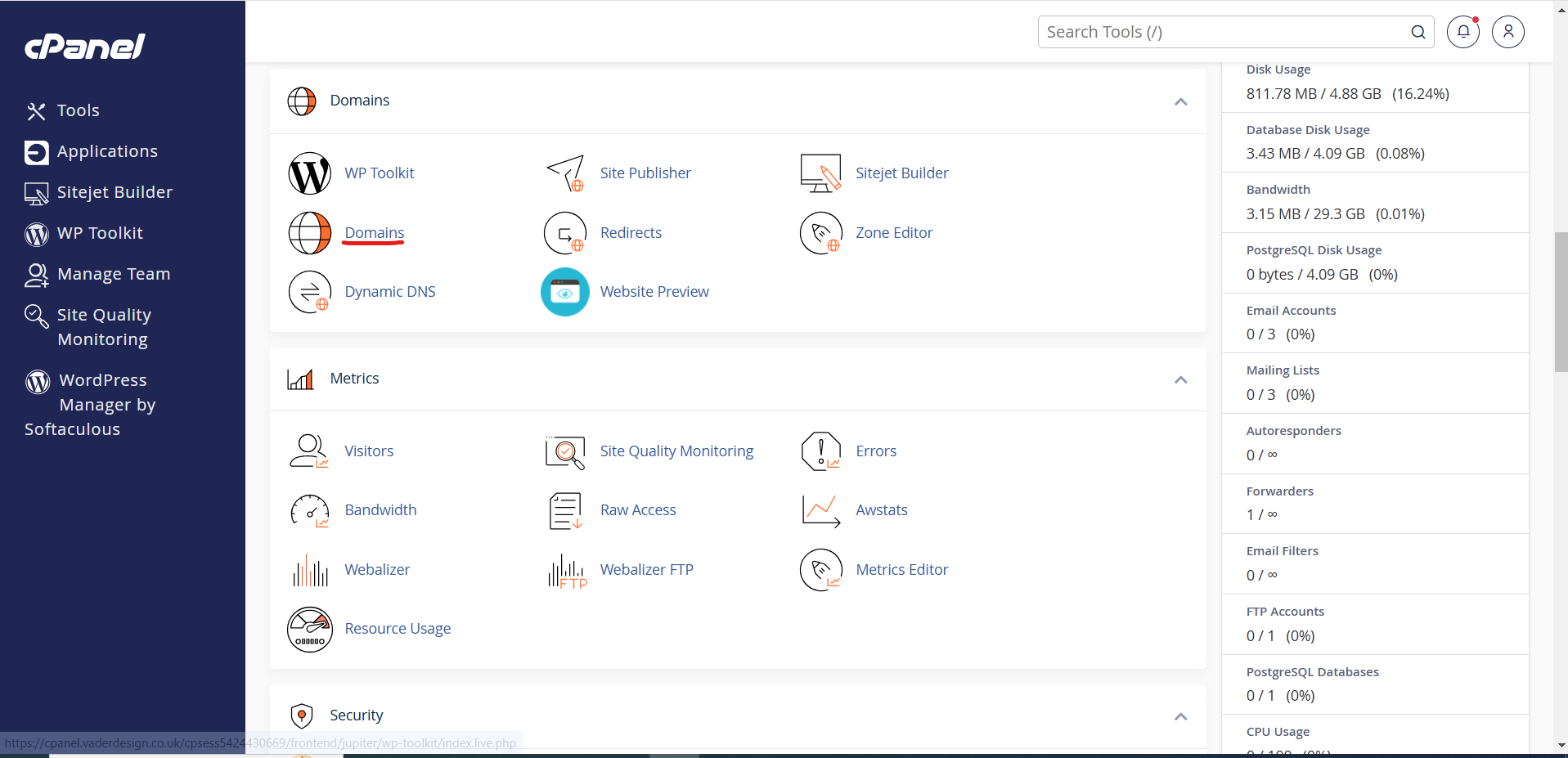
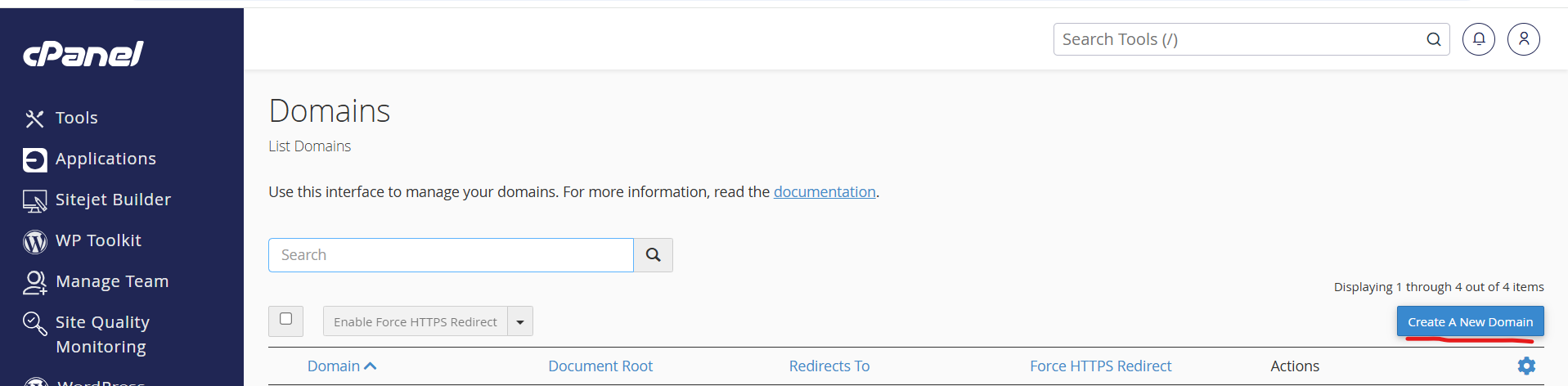
- Click the “Create A New Domain” button.
- Enter the subdomain you want to create here. For example: blog.yoursite.com
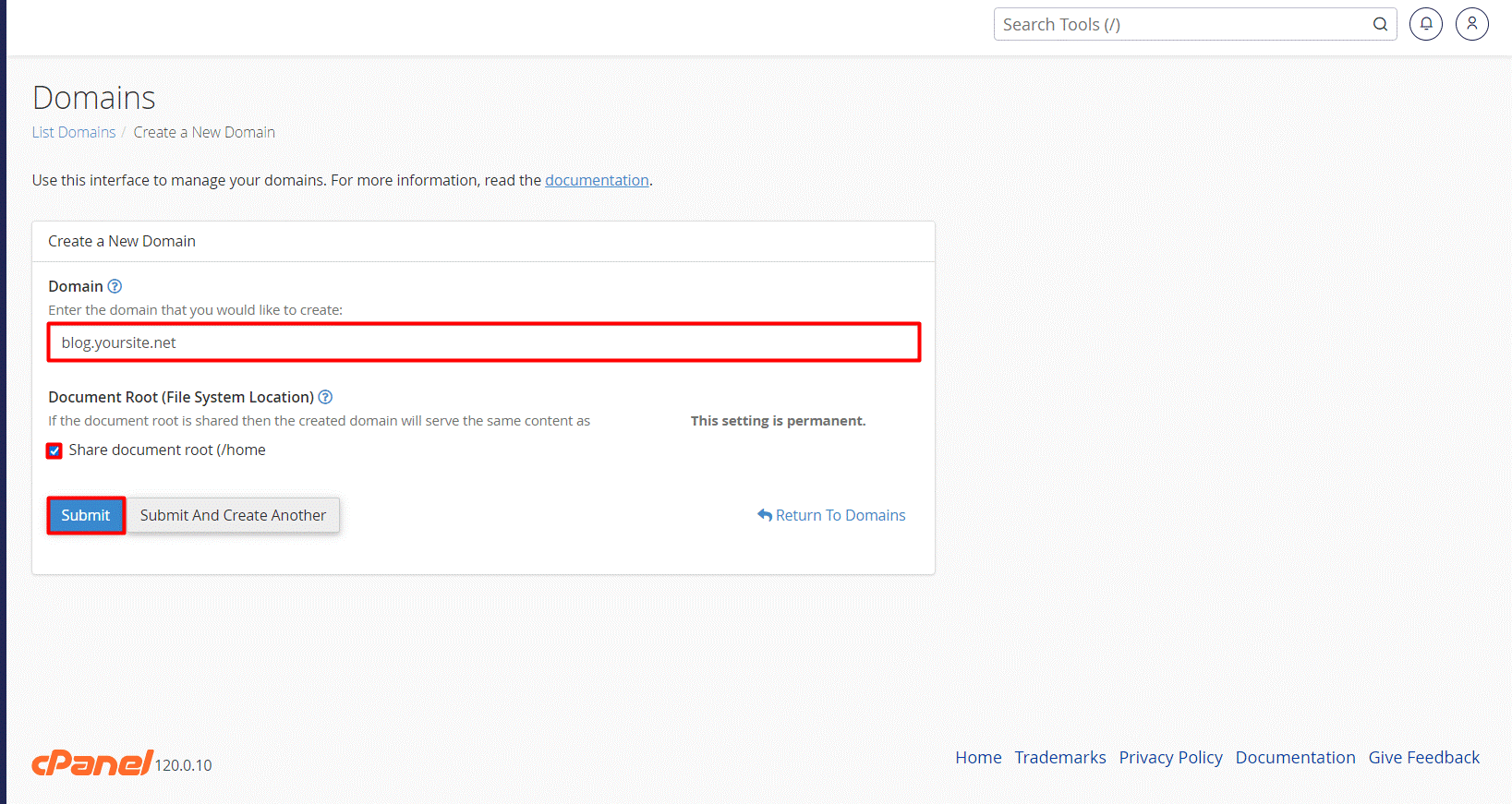
- In the “Document Root” section, you can view the directory that will be created for your subdomain. This directory is where the files for your subdomain will be stored. If you want to change the directory, you can do so here.After making all your adjustments, click the “Submit” button. This process may take a few seconds. You will receive a confirmation message when the subdomain is successfully added
- Once your subdomain is created, you can upload files for this new domain, design your website, or install a CMS (such as WordPress).
