
Email is a cornerstone of digital communication, allowing instant communication worldwide. If you are using cPanel, you can follow the steps below to create email accounts.
- Access the website www.portal.vaderdesign.co.uk
- Click on the “account” button on the opened page, enter your customer panel information, and click the “Log in” button to log in to your account.
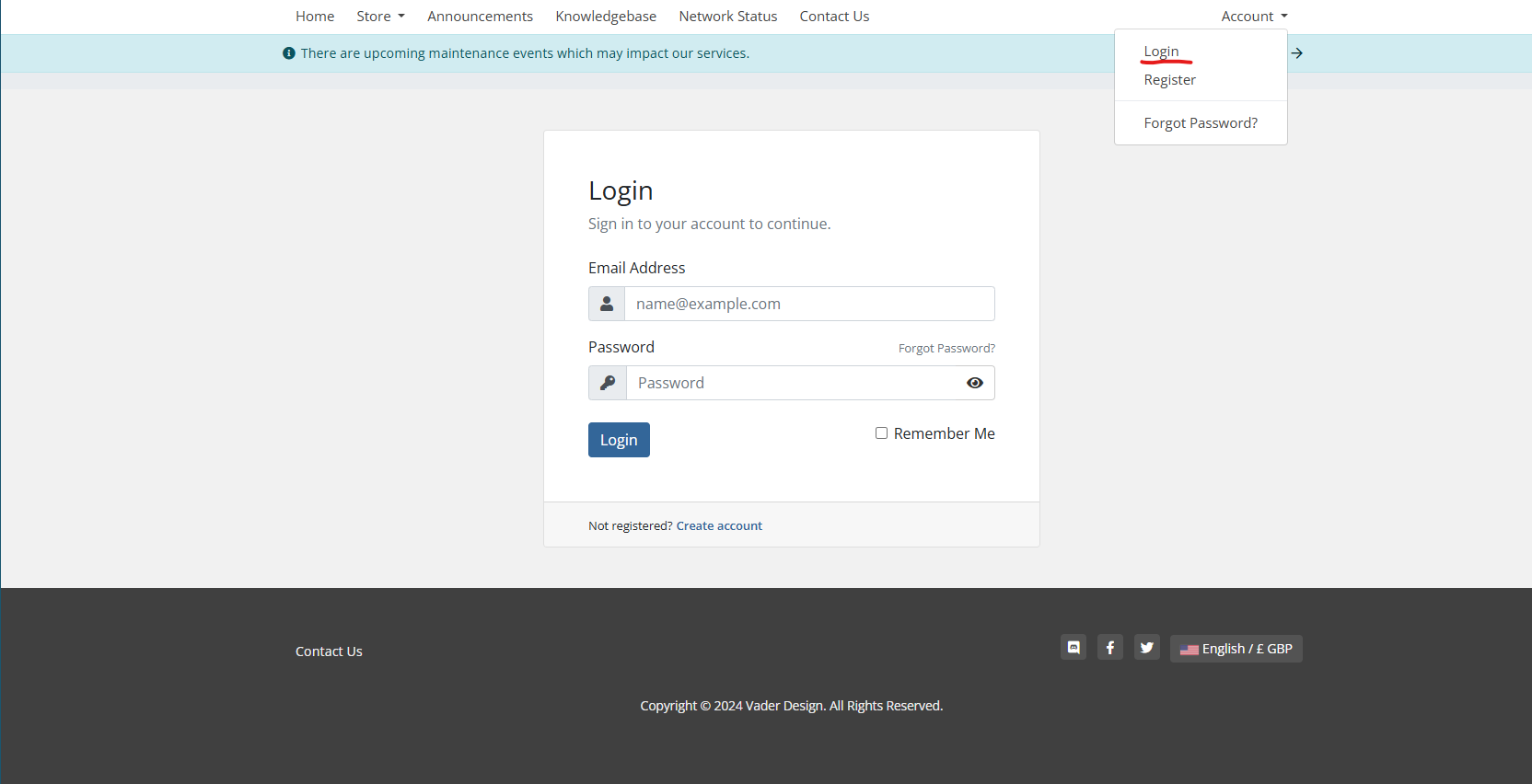
- Upon logging in you will see log-in to cPanel

- On the cPanel homepage, find and click on the “Email Accounts” icon under the “Email” section.
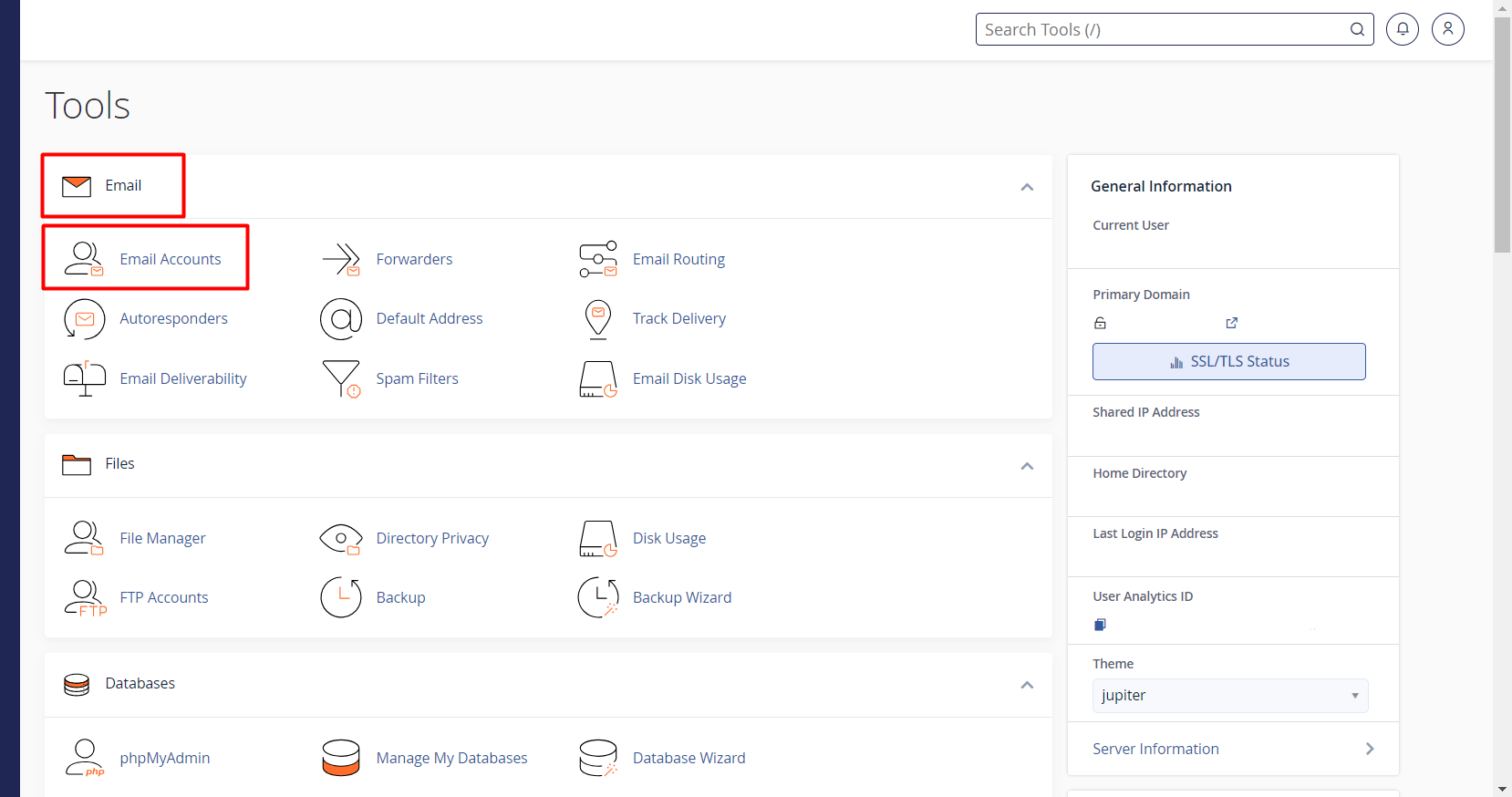
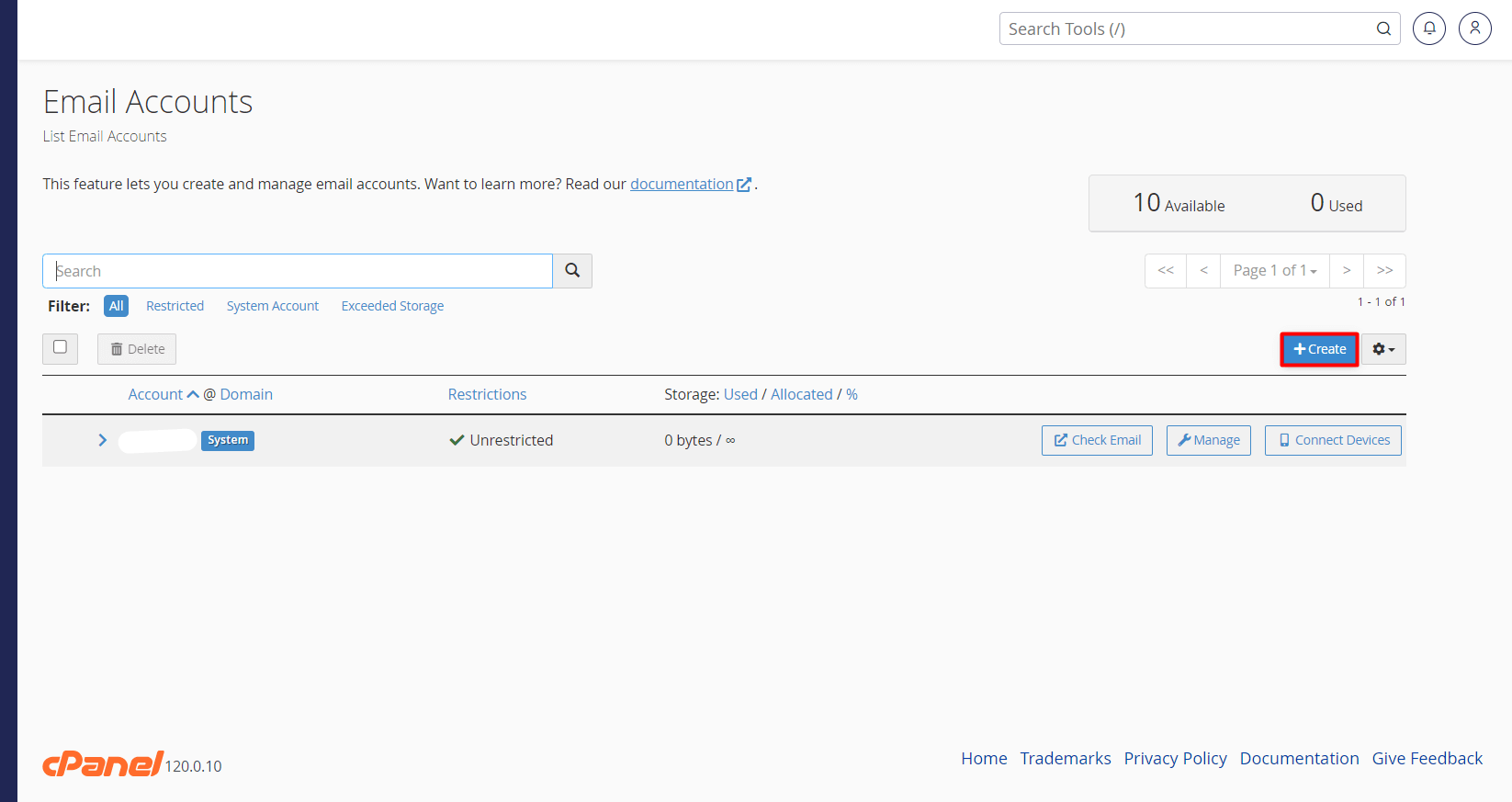
- Click on the “Create” button on the Email Accounts page.
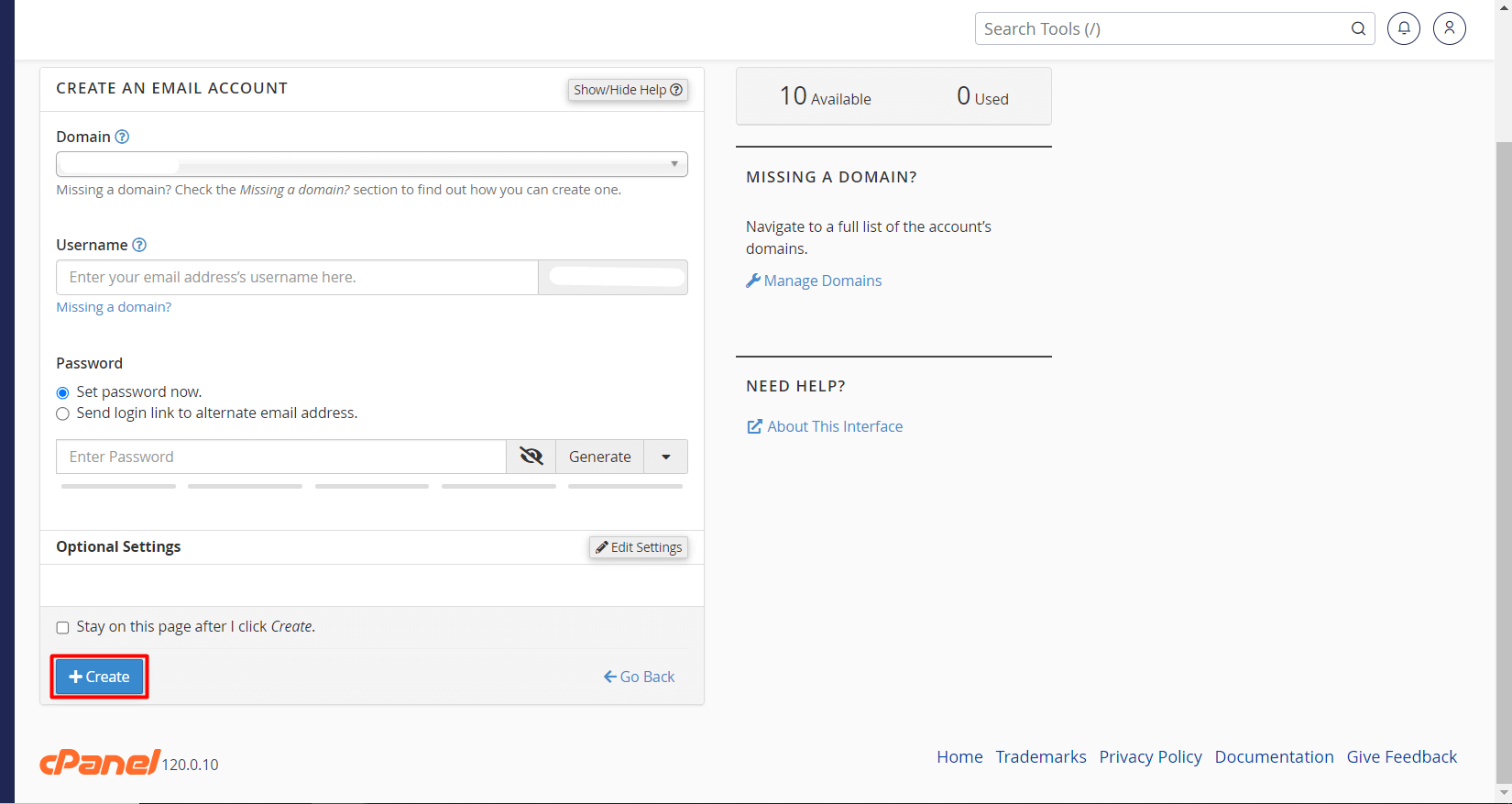
- You will be asked to provide some information to create your email account. This information includes the following:
- Domain: Select your domain from this section. If you have only one registered domain, it will automatically appear on the screen, and you won’t need to make a selection.
- Username: Enter the name of the email address you want to create.
- Password: Create a strong password for the email account. If you have trouble creating a password, you can click the “Generate” button to have one automatically generated.
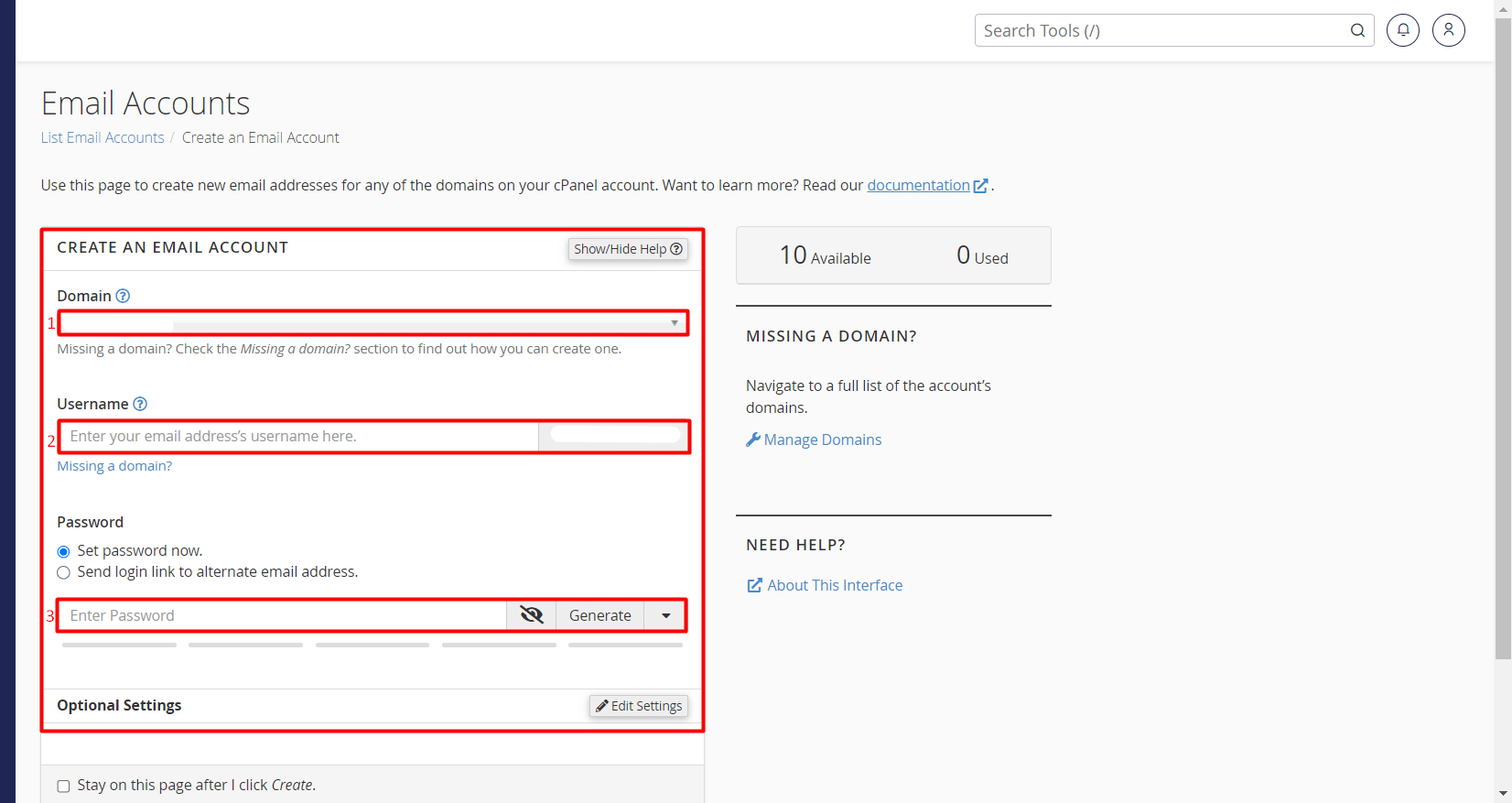
- After entering the email information, click on the “Create” button.
- If there are no missing or incorrect details, your email account will be created. You can check the account from the “Email Accounts” page.
